



Guide to Universal Orlando’s new digital Attractions Assistance Pass (AAP)
The Attractions Assistance Pass (AAP) at Universal Orlando started a new, digital version in technical rehearsal on Dec. 4, 2025.

Universal Orlando Resort’s program for guests with disabilities or other reasons that may prevent them from waiting in lines has gone digital. The program which verifies guest’s accommodation needs through the IBCCES app is still in place, so if you have an account with them, you are still good to go! Thanks to the Universal Orlando Resort app, you can ditch the paper pass and be introduced to a system that, so far, is a great improvement.
(Gone are the days of your AAP falling out of your pocket or melting away during the annual downpour that occurs during Halloween Horror Nights opening night.)
This digital program is currently in technical rehearsal, so this information is subject to change. Here’s my experience with it so far, and some changes you should be aware of for your next trip.

Introduction to AAP program
Guests who are pre-registered with the IBCCES Accessibility Card or willing to have a conversation about their needs with a Guest Services Team Member can head to a Guest Services location at either Universal Studios Florida, Universal Islands of Adventure, or Universal Epic Universe to start the process of obtaining an AAP. Those who are pre-registered with the IBCCES Accessibility Card can enter through a shorter line, to get their accommodations quicker than waiting in the normal Guest Services queue, so I HIGHLY recommend going through that process before your visit to the park.
This is NOT an Express pass. This is NOT a free skip-the-line hack.
What changed about Universal’s AAP?
Not much has changed with the digital version of Universal Orlando’s AAP, but there are some differences worth talking about.
The process is about the same. You choose an attraction to get a return time for, you wait that posted wait time outside of the queue, then you return and are sent through the designated line.
Now that the system is digital, you don’t have to walk all the way to the attraction of your choosing. After your app has registered that your party is in the park, you can select the attraction of your choosing to receive a return time for. If you’re having an issue with the app saying you’re not in the park yet, close out of the app fully and give it about 2-5 minutes for the system to update.
Before, you could get a return time for a ride, and then enjoy an attraction that had a posted 25 minutes or less wait time without being issued a time to come back. This is no longer the case. You need to register for a return time for ANY attraction regardless of the posted wait. If a ride says 25 minutes or less, and you get a return time through the app for that same ride, you will be issued an immediate return time. This is to avoid guests having more than one return time at once. For example, if you have a return time for Hagrid’s Magical Creatures Motorbike Adventure and you’re waiting 90 minutes, you cannot go right through other attractions in the park that have a 25-minutes-or-less wait time.
There’s currently no way to indicate on the digital pass if a guest needs an alternative to stairs or not. If the guest who the pass has been issued to needs an alternative to stairs, please let a team member know. This could change as the system goes through its technical rehearsal.
How do I make a return time on the Universal app?
Here’s a step by step guide on how to use the new system:
Step 1: Open the Universal Orlando Resort app and click on the button that says “Wait Times.”
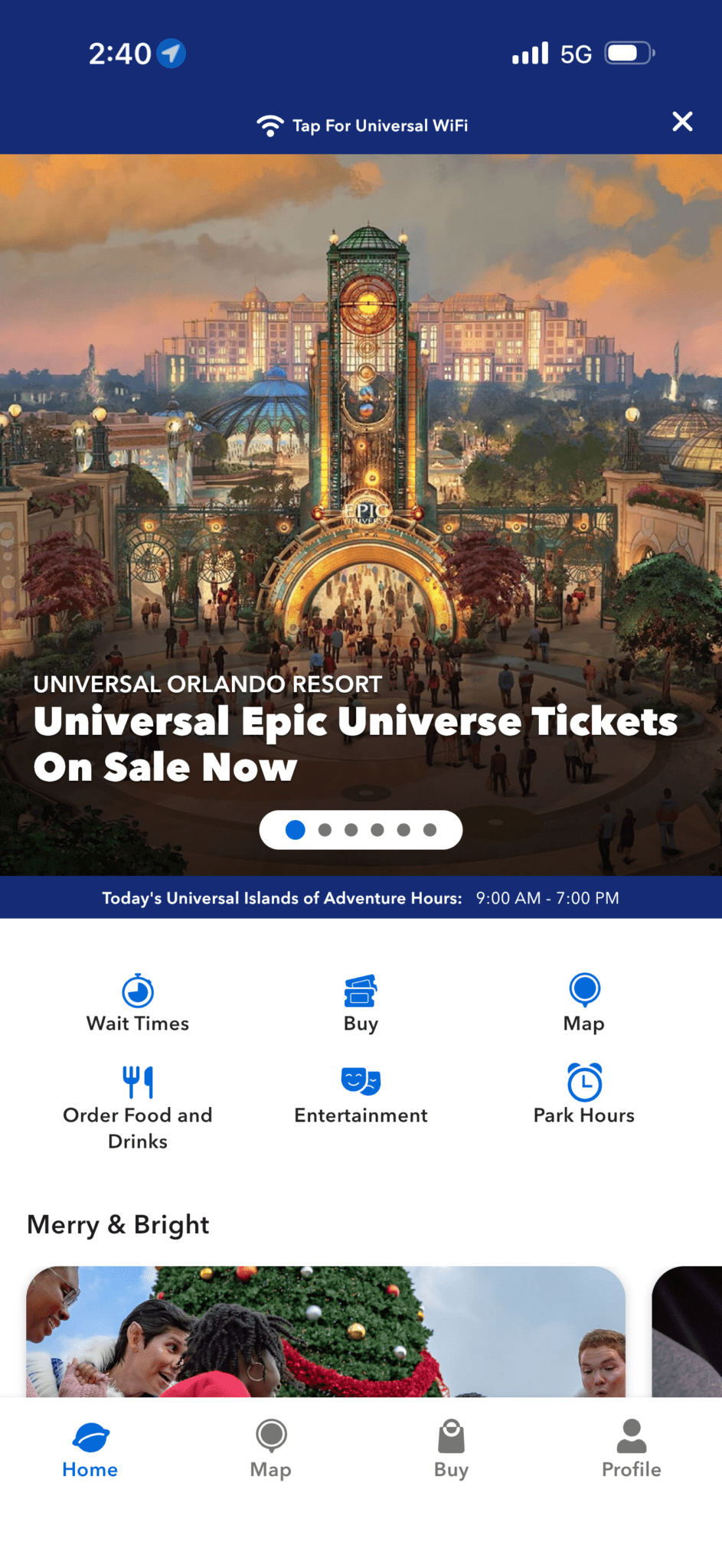
Step 2: Filter by which park you are in and choose the attraction you’d like to enjoy.
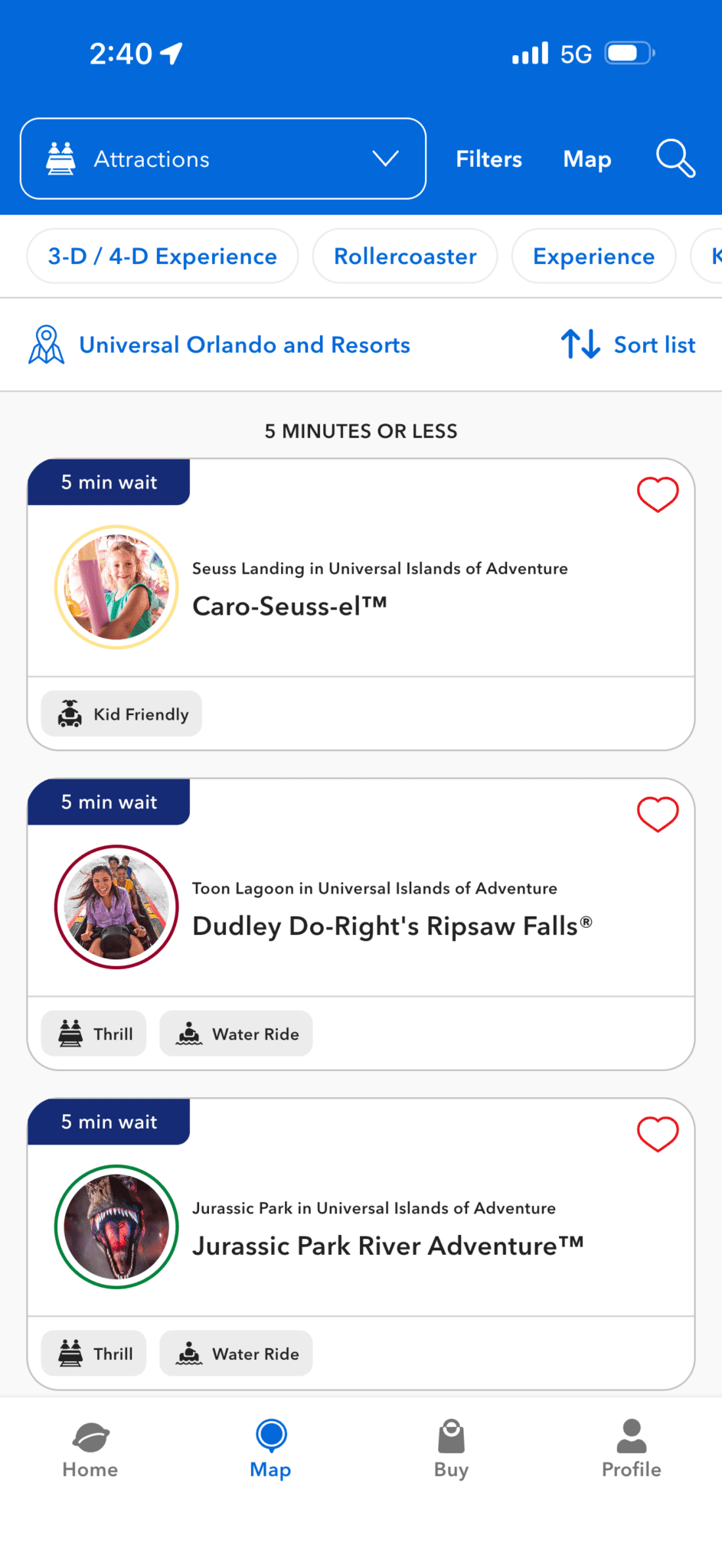
Step 3: Once registered, a button that reads “Make an AAP Return Time” will appear. Tap on that to proceed.
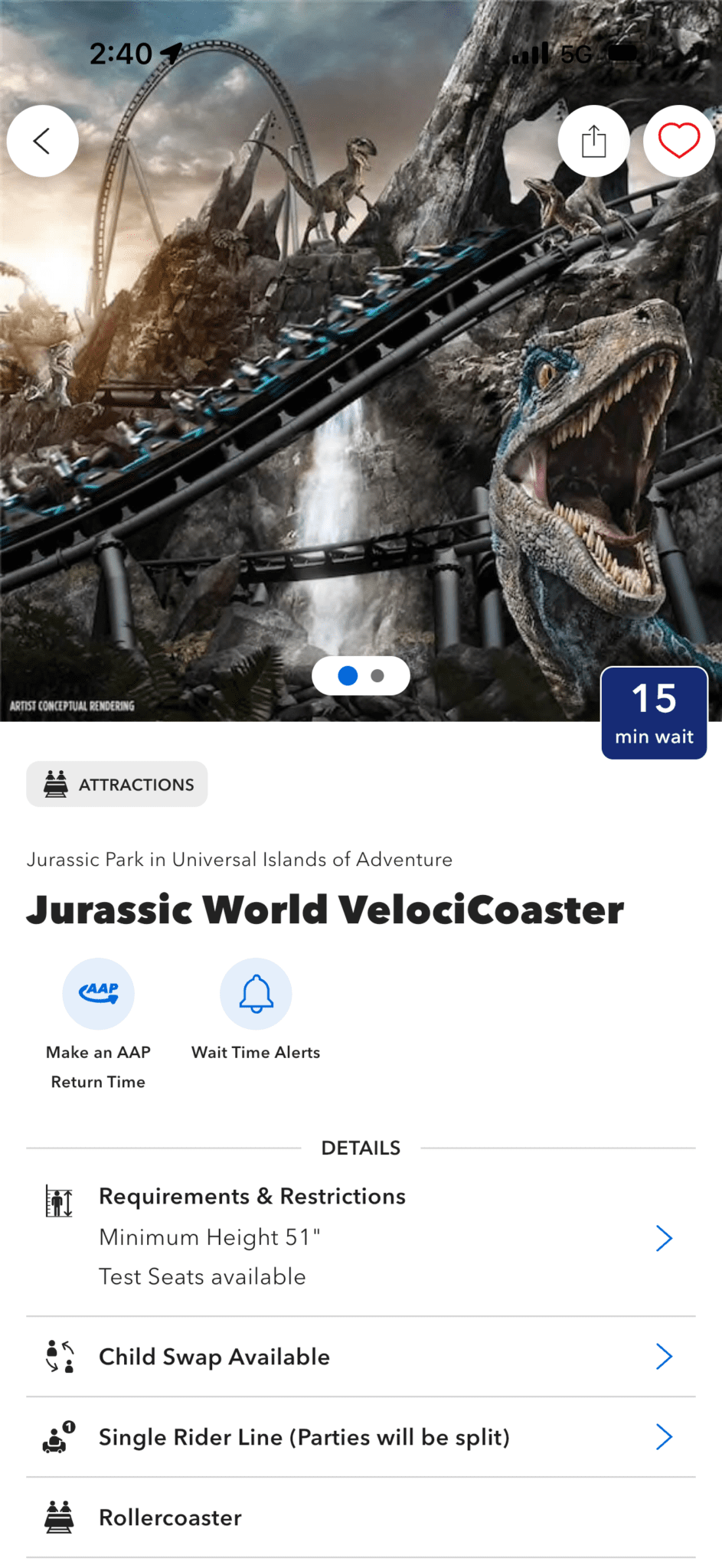
Step 4: Your return time will be based on the posted wait time of the attraction in the app. In the screenshot below, since Jurassic World VelociCoaster was at a 15-minute wait (in that 25-or-below rule), I was granted immediate entry.
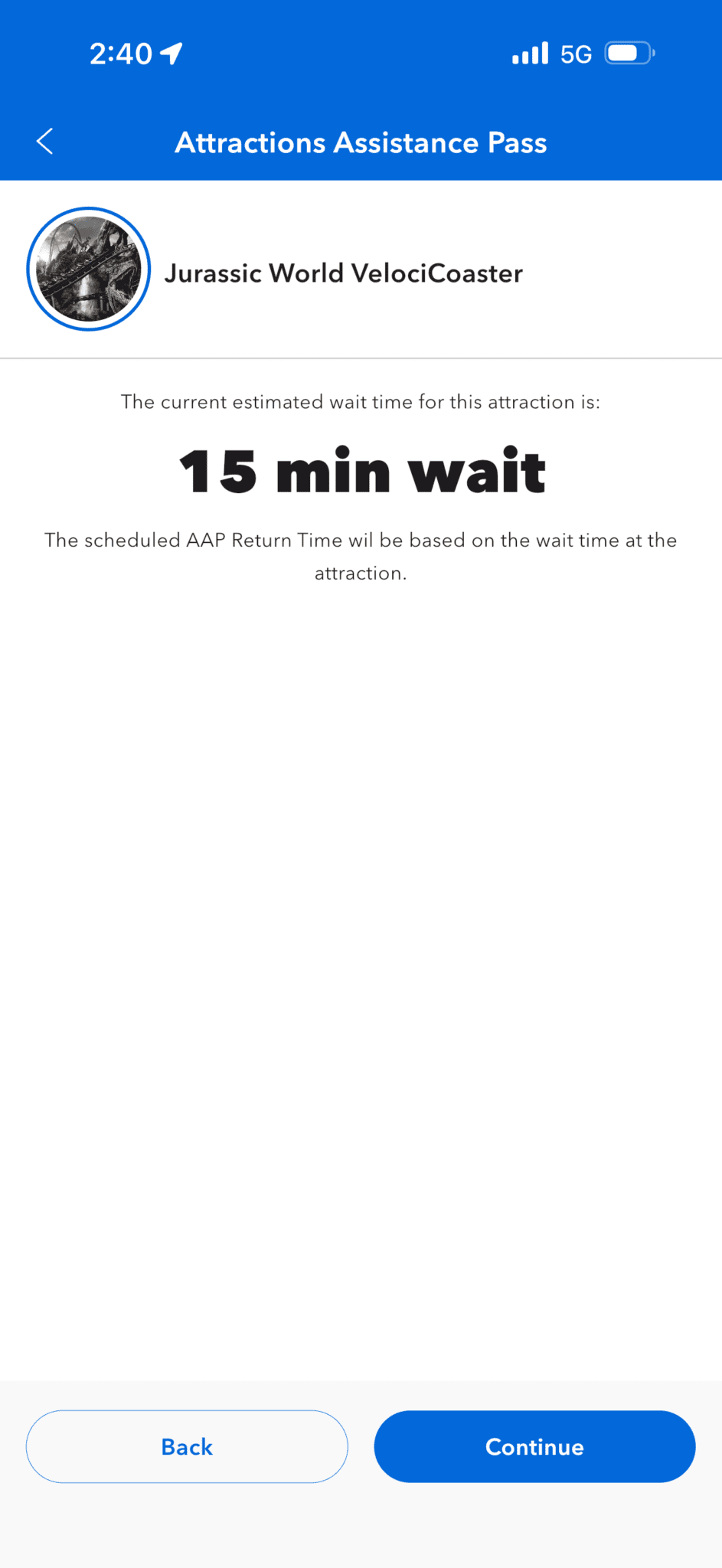
Step 5: Select your party members. You MUST go through with the guest whose name is on the Attraction Assistance Pass. This is enforced now more than ever (we’ll get to that).
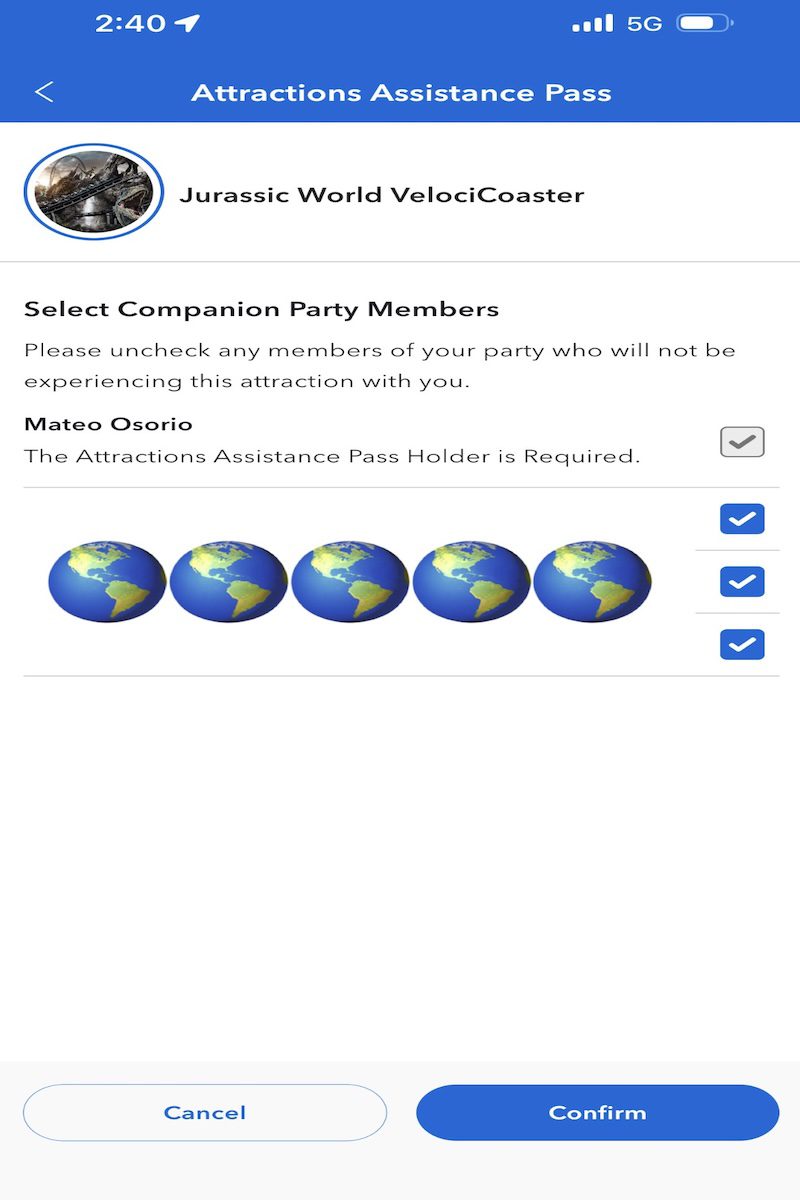
Step 6: You did it! Arrive at the attraction entrance at the your issued return time, or anytime after until park close! Once you arrive, show a team member at the entrance your QR code! You can find it in you “Wallet” found in the profile tab in the app or by going back to the attraction’s homepage. If you change your mind, you’ll need to delete your current return time before getting a new one.
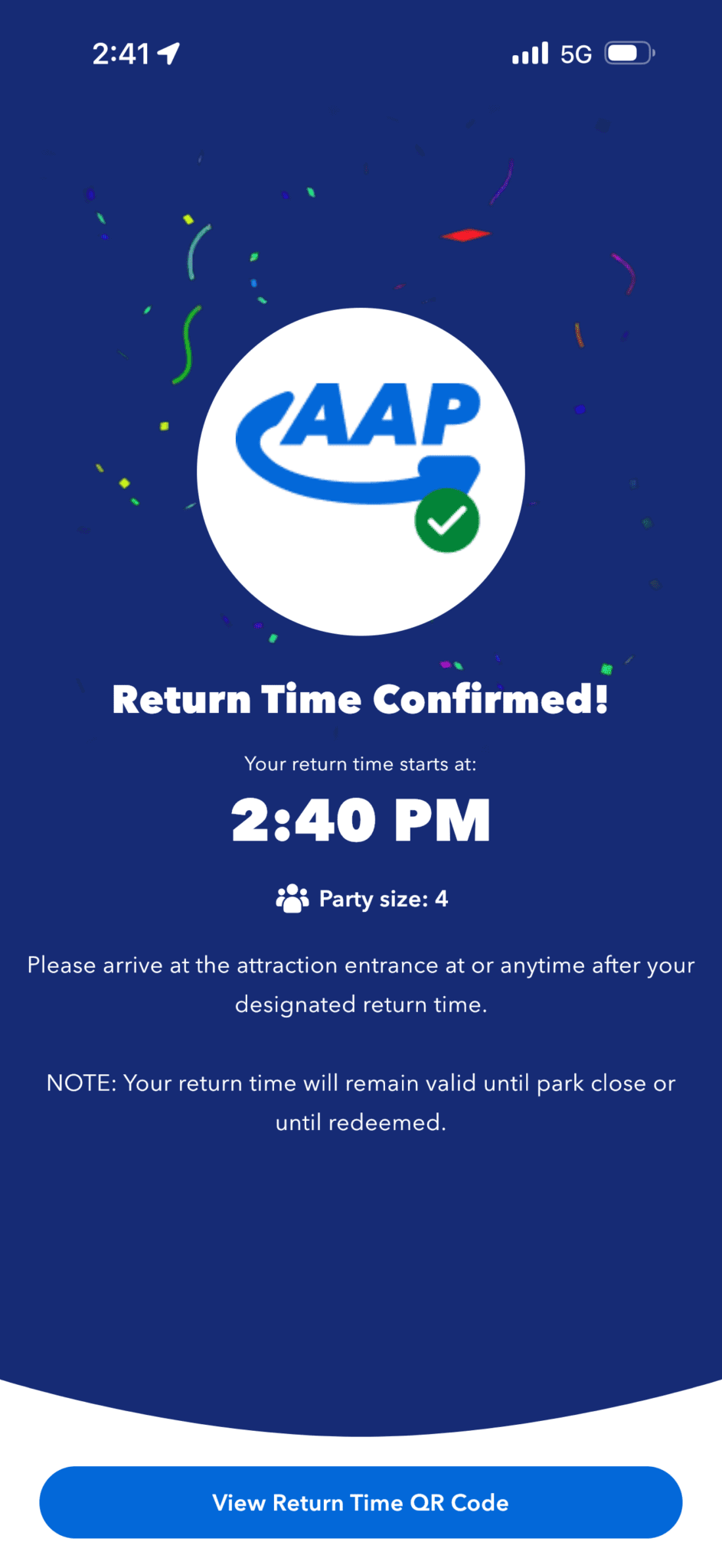
Not too hard, right? For the first day of operation on Dec. 4, it was extremely smooth and I had little to no issues with the digital system.
New facial recognition technology
I want to point out something new I noticed, though. As you might now, Universal Orlando has been integrating facial recognition in their parks. This technology has made its way into attraction queues across the resort (Epic Universe included). Usually, you’d need to scan your AAP once at the entrance to the attraction and again somewhere in the queue. Now, a totem with a camera will detect the faces registered to each party member and you can walk right through (unless stopped by a team member for technical issues or any reason that may come up).
I didn’t notice this at first, but the other attraction we went on, a green light flashed as each party member walked up to the totem. We didn’t even have to stop for it to recognize us! A little freaky, but it speeds up the process and you don’t have to go fishing for that old paper pass like in the pass!
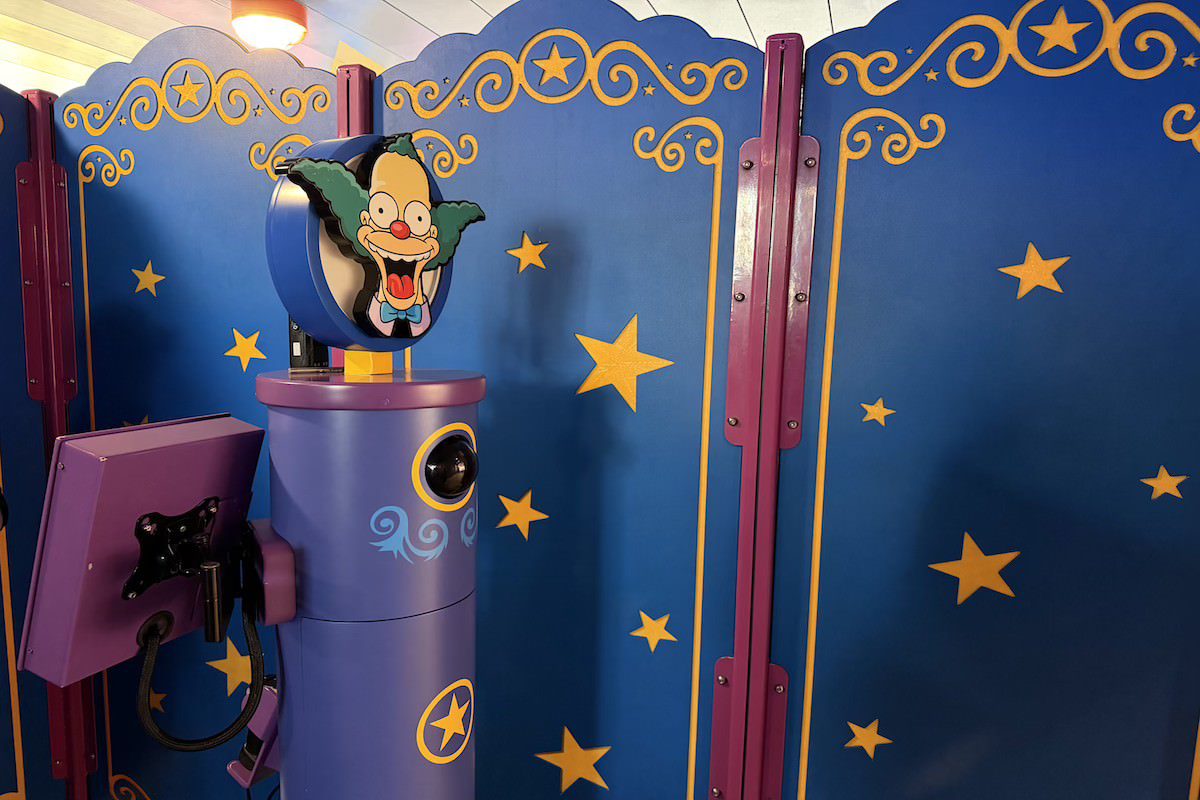
Photo by Mateo Osorio
This system, at least in my experience using it at the park on the day it debuted, is great. It’s really nice not having to walk all the way over to a congested area of the park just to get a return time and then go through that crowd again when you come back to ride. The digital AAP system seems to have its user’s best interest in mind to make their day as enjoyable and tailored to their needs as possible. If only the other major theme park in Orlando could get with the program.
Stay connected with AttractionsMagazine.com for daily coverage of theme park news, trip reports, and exclusive interviews from Disney, Universal, and independent attractions around the world.
More Attractions Magazine stories:
Follow us:
Ready for adventure? Our trusted partner Universal Fan Travel will handle the planning so you can focus on the fun. They offer free vacation-planning services and have nearly 20 years of experience creating epic vacations. Visit Universal Fan Travel for a fee-free, no-obligation quote today.

Is it necessary to have obtained an IBCCESS Accessibility Card prior to arrival at the park, or can a guest be issued an AAP without an accessibility card simply by having a conversation with a team member at Guest Relations?